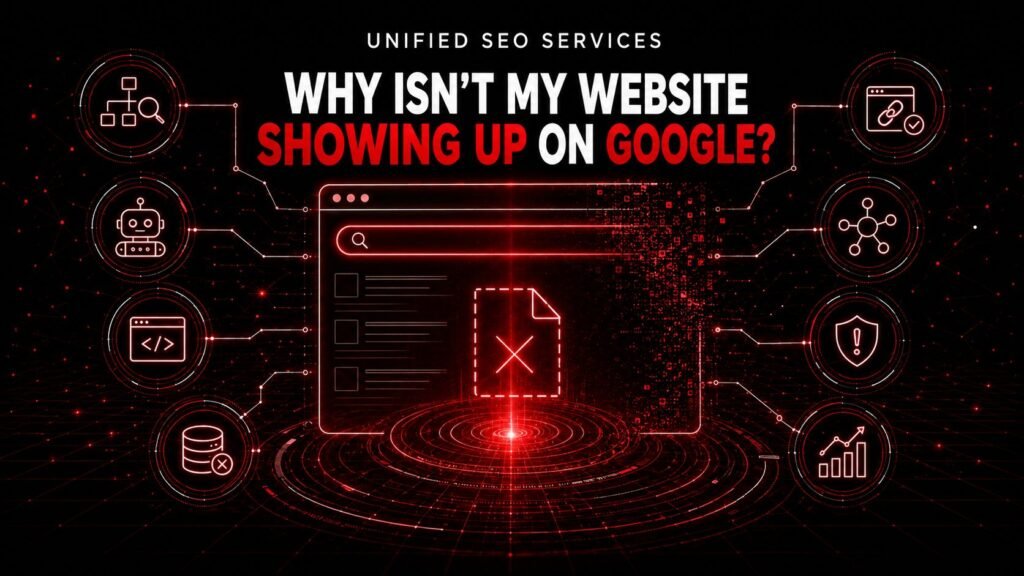
Your website may not show up on Google because Google has not discovered the URL, cannot crawl or render the page, has excluded the page from its index, has selected another URL as canonical, or does not consider the page relevant and authoritative enough for the query. A manual action, a security problem, or a failed migration can also remove visibility across part or all of a site.
The correct fix depends on the failed stage. Rewriting copy cannot repair a 503 server response. Backlinks cannot repair an incorrect canonical. Schema markup cannot make an irrelevant page satisfy a searcher’s intent.
A page can fail before ranking begins. A defensible diagnosis tests access first, index eligibility second, URL selection third, and query performance last.
Unified SEO Services calls the evidence-first sequence the eight-gate visibility diagnosis. Built on more than eight years of organic search experience, the eight-gate visibility diagnosis helps business owners, website owners, and marketing teams define the visibility symptom, identify the failed Google Search gate, apply the smallest correct fix, and verify the result. The eight gates are discovery, crawling, rendering, indexing, canonicalization, relevance, authority, and manual or security review.
The existing crawling, indexing, and ranking explainer describes how search engines process pages, and the SEO audit framework extends the same evaluation to a full site rather than one symptom. The eight-gate visibility diagnosis shows how to determine exactly where visibility failed and what evidence should change the next action.
The Visibility Symptom Identifies the Most Likely Google Search Failure
“My website is not showing up” can describe several different outcomes. Define the outcome before changing the website.
| Visibility symptom | Most likely failure area | First decisive test | Fix that usually wastes time |
|---|---|---|---|
| Google does not recognize the exact URL | Discovery | Inspect the URL in Google Search Console | Adding more keywords |
| Google knows the URL but cannot fetch it | Crawling | Run a live URL Inspection test and check the HTTP response | Publishing more content |
| Visitors see content that Google’s rendered page does not contain | Rendering | Compare the rendered HTML and screenshot with the browser page | Expanding copy inside the same broken JavaScript component |
| Google crawled the page but did not index it | Indexing | Read the specific Page indexing reason and inspect the URL | Submitting the same sitemap again without changing the page |
| Google indexes or ranks a different URL | Canonicalization | Compare the user-declared canonical with Google-selected canonical | Building links to several duplicate versions |
| The URL is indexed but absent for a target query | Relevance | Analyze page-level queries and the current search result pattern | Troubleshooting indexation again |
| The page is relevant but consistently loses to stronger results | Authority | Compare supporting internal links, credible external references, and evidence of reputation | Chasing a third-party score in isolation |
| Many pages disappear suddenly | Manual action, security, migration, or outage | Check Search Console messages, reports, release history, and host status | Rewriting every page at once |
The URL Inspection tool is the best starting point for a specific URL. The indexed result shows what Google last recorded. The live test checks the current version. The indexed and live URL Inspection results can differ after a fix because Google may not have recrawled the page yet.
A site: search can provide a quick sample, but it cannot prove that a specific URL is indexed or that every indexed page appears in the results. Google explains that search operators are limited by its indexing and retrieval systems. Use URL Inspection for a page-level verdict and the Page indexing report for sitewide patterns.
Google Search Console Separates Eligibility From Performance
Search Console answers two different questions:
- Can the page participate? URL Inspection and the Page indexing report show discovery, crawl, index, and canonical information.
- Does the page earn visibility for a query? The Performance report shows impressions, clicks, queries, countries, devices, and search appearances.
An indexed page with no impressions has cleared basic eligibility and needs a relevance, demand, or authority investigation. An unindexed page has not yet reached query-level competition.
Google Must Discover a URL Before Google Can Crawl the Page
Google discovers URLs through crawlable links, sitemaps, redirects, and other known URL sources. A page that has no discoverable path can remain invisible even when its content is excellent.
Discovery is the likely failure when URL Inspection says the URL is unknown to Google, the Page indexing report contains far fewer important URLs than the website actually has, or an entire new section never appears in crawl data.
Crawlable Internal Links Expose Important URLs to Google
Every important page should be reachable through normal site navigation or a contextual link from another discoverable page. Google states that it generally crawls a link when an HTML <a> element contains a valid href attribute. A clickable <span>, an onclick handler without a usable href, or a URL that exists only after an unsupported interaction may not provide a reliable discovery path.
Review the target page in context:
- Does the homepage, service hub, category page, or related article link to it?
- Does the link use a real destination URL rather than a script-only action?
- Can a person reach the page without using site search, applying filters, or logging in?
- Does the page receive links from other important pages, or is it an orphan?
- Do internal links point to the final canonical URL rather than a redirect or duplicate?
The Google link best-practices guide states that links help Google find pages and understand relevance. Internal links therefore perform three jobs: they expose a URL, describe the destination through anchor text and surrounding context, and communicate the page’s relationship to the rest of the site.
Corrective action: add a crawlable link from a relevant, already discoverable page. Use anchor text that identifies the destination naturally. Do not hide the only path behind an internal search form, a filter, or a click event that produces no stable URL.
Recovery test: inspect the source or rendered HTML of the linking page, confirm that the target appears in an <a href="..."> element, and monitor URL Inspection for a discovery source or later crawl.
XML Sitemaps Support Discovery Without Forcing Indexing
An XML sitemap tells Google which canonical URLs the publisher considers important. A sitemap is especially useful for a new site, a large site, a site with weak internal linkage, or a site containing media and frequently updated content.
A sitemap does not replace internal architecture. Google says that a sitemap can improve discovery but does not guarantee crawling or indexing. A sitemap entry can introduce a URL to Google, but the URL still must return usable content, permit indexing, and justify selection for the index.
Audit the sitemap for contradictions:
- Include only canonical, indexable URLs that return
200 OK. - Exclude redirects,
404pages,noindexpages, duplicate parameters, and staging URLs. - Use the final HTTPS hostname consistently.
- Update
<lastmod>only when a meaningful page change occurs. - Submit the sitemap in the correct Search Console property.
Corrective action: generate a clean sitemap from the same source of truth that controls published canonical URLs. Repair internal links as well. Do not treat sitemap submission as a substitute for fixing navigation.
Recovery test: confirm that Search Console can read the sitemap, then inspect important submitted URLs individually. A successful sitemap fetch proves file access, not page indexation.
New Domains Need Discoverable Paths and Time
Google normally discovers public websites automatically, but automatic discovery is not a promise of immediate processing. Google says that crawling can take from several days to several weeks.
For a legitimate new website, publish a connected set of useful pages, link every priority page through the navigation or relevant content, submit an accurate sitemap, verify Search Console, and submit one indexing request for the homepage and a small number of critical URLs. Monitor the indexed status instead of repeatedly resubmitting the same URLs.
Google Cannot Crawl a URL That Blocks Googlebot or Fails to Return Content
Crawling begins when Googlebot requests a URL. Google needs permission to request the page, a successful network connection, and a meaningful HTTP response. A browser loading the page for one person does not prove that Googlebot can load it reliably.
Use the live URL Inspection test first. Then check the final response code, redirect path, robots.txt result, Crawl Stats host status, server logs, firewall rules, and content-delivery network controls.
Robots.txt Controls Crawling but Does Not Reliably Control Indexing
A robots.txt rule can prevent Googlebot from requesting a path. Blocking crawling through robots.txt is useful for controlling crawler access to areas such as internal search results or faceted navigation, but robots.txt is not the correct mechanism for removing an already known URL from Google.
A blocked URL can still appear as a URL-only result when Google learns about it from links but cannot crawl its content. Google also cannot read a page-level noindex directive when robots.txt prevents Googlebot from fetching the page. Google’s noindex documentation therefore requires Googlebot to access the page so that Google can see the directive.
Check robots.txt after a redesign, migration, staging launch, security change, or plugin update. Development environments often use a sitewide disallow rule, and that rule sometimes reaches production by mistake.
Corrective action: allow Googlebot to crawl every public page that should be indexed. Use page-level noindex or an X-Robots-Tag header when the goal is exclusion from the index. Do not place an unsupported noindex instruction in robots.txt.
Recovery test: run the live URL test and confirm that “Crawl allowed?” returns Yes. Then request indexing once and wait for the indexed view to update.
HTTP Responses Tell Google Whether Content Exists
A normal indexable page should return 200 OK and meaningful content. Other response classes communicate different states:
| Response | Meaning for diagnosis | Appropriate action |
|---|---|---|
200 |
The server returned a document, but the document may still contain an error, noindex, or thin content |
Inspect the response body and rendered page |
301 or 308 |
The resource moved permanently | Confirm the destination is relevant, indexable, and final |
302 or 307 |
The move is temporary | Confirm that temporary behavior is intentional |
401 or 403 |
The server denied access | Remove unintended authentication, firewall, or bot restrictions |
404 or 410 |
The requested content does not exist | Restore the valuable page or keep the correct removal status |
429 |
The server is rate limiting requests | Adjust capacity or bot controls |
5xx |
The server failed to return usable content | Repair the server, application, network, or upstream service |
Google’s HTTP status guidance says that 5xx and 429 responses cause crawlers to slow down. Persistent server errors can eventually cause indexed URLs to drop. A brief outage and a persistent failure therefore require different levels of concern.
Also test for soft 404s. A soft 404 returns 200 OK but displays an error, an empty template, or a page that says the content is unavailable. The response code says “content exists,” while the body says the opposite.
Corrective action: make the response code match the actual state. Restore real content at valuable URLs, redirect genuinely moved pages to close equivalents, return 404 or 410 for intentionally removed pages, and increase server reliability for recurring 429 or 5xx responses.
Recovery test: test representative URLs from an external network, review Search Console host status, and inspect server logs for successful Googlebot requests. Verify Googlebot identities before changing security controls based on user-agent strings alone.
Firewalls and CDNs Can Block Googlebot Without Blocking Staff
Security services can challenge or deny automated requests based on rate, geography, IP reputation, cookies, or JavaScript execution. Company staff may see the site normally while Googlebot receives 403, 429, a challenge page, or an empty response.
Compare the live URL Inspection result with your own browser response. Then review CDN, web application firewall, hosting, and bot-management logs for verified Googlebot requests. Avoid permanently allowlisting a guessed list of IP addresses; use Google’s documented verification methods and a security configuration that supports legitimate crawling.
JavaScript Rendering Must Expose Primary Content to Google
Rendering is the stage at which Google executes JavaScript and processes the resulting document. Google uses an evergreen version of Chromium, but a JavaScript application can still fail when required resources are blocked, APIs return errors, content depends on user interaction, or client-side routing does not expose stable URLs.
Rendering is the likely failure when the live test succeeds but Google’s rendered HTML lacks the main copy, product details, internal links, title, canonical, or structured data that a visitor sees.
Rendered HTML Reveals the Content That Google Can Process
Open the live URL Inspection result and review the rendered page, screenshot, loaded resources, and JavaScript console messages. Compare the URL Inspection rendering outputs with the page in a normal browser, preferably on a logged-out mobile session.
Look for the following rendering differences:
- The initial response contains only an application shell.
- The main content appears only after a click, scroll, tab selection, or form submission.
- An API request fails for Googlebot or unauthenticated users.
- JavaScript or CSS files are blocked by robots.txt.
- Cookie consent or geolocation logic replaces the main content.
- Client-side routes use URL fragments instead of distinct crawlable URLs.
- The rendered canonical differs from the canonical in the initial HTML.
- Infinite scroll provides no paginated URLs or crawlable links.
Google documents crawling, rendering, and indexing as distinct phases for JavaScript pages. Google can execute JavaScript, but execution does not guarantee that an application returns the intended content under Google’s crawl conditions.
Corrective action: place essential content, headings, links, title elements, and canonical signals in server-rendered or pre-rendered HTML when practical. Make each indexable view available at a stable URL. Ensure that unauthenticated requests can retrieve the same primary information that public users receive. Use progressive enhancement for important navigation and content.
Recovery test: rerun the live test and confirm that the rendered HTML contains the main entity, offering, location or audience, supporting details, crawlable internal links, and intended canonical. A screenshot alone is insufficient because visible text can differ from machine-readable markup.
Mobile Rendering Must Preserve the Primary Page Information
Google uses the mobile version of a page for indexing. Google’s mobile-first indexing guidance warns that a desktop page can contain complete content while a mobile template removes text, links, metadata, or structured data. Google also states that primary content should not require a click, swipe, or typed interaction to load.
Compare mobile and desktop outputs after theme changes, responsive redesigns, or component experiments. Preserve equivalent primary content and semantic meaning across the mobile and desktop versions, even when the layout changes.
Google May Exclude a Crawled Page From the Search Index
Indexing is a selection decision, not a receipt for submitting a URL. Google’s technical requirements establish minimum eligibility: Googlebot must not be blocked, the page must return a successful response, and the page must contain indexable content. Meeting Google’s minimum technical requirements does not guarantee selection for the index.
Start with the exact reason shown in URL Inspection or the Page indexing report. “Not indexed” is a status category, not a diagnosis. The Crawled, Currently Not Indexed guide explains how to investigate that specific status in depth.
A Noindex Directive Explicitly Excludes a Page
A noindex value can appear in a robots meta tag or an X-Robots-Tag HTTP header. WordPress visibility settings, SEO plugins, staging safeguards, template conditions, and HTTP headers can add the directive unexpectedly.
Inspect the initial response and the rendered HTML for an unintended noindex value. Also inspect response headers because a PDF, image, or HTML page can receive an X-Robots-Tag outside the visible source.
Corrective action: remove every unintended noindex directive from the canonical page. Confirm that the page is not simultaneously blocked by robots.txt.
Recovery test: the live URL test should report that indexing is allowed. Request indexing once after the change.
“Crawled, Currently Not Indexed” Requires Page-Level Judgment
“Crawled, currently not indexed” means Google fetched the URL but did not include it in the index at the time reflected in the report. The “Crawled, currently not indexed” label does not identify one universal defect.
Evaluate the page against the alternatives available to Google:
- Does the page provide unique information, analysis, evidence, or utility?
- Does the page resolve a distinct search intent?
- Is the main content substantial enough to fulfill that intent?
- Does another page on the site cover the same subject more completely?
- Does the page resemble a doorway, tag archive, filter combination, boilerplate location page, or internal result?
- Do internal links identify the page as important?
- Does the page contain a soft 404 message or empty state?
Google’s people-first content guidance asks whether content provides original information or analysis, demonstrates first-hand expertise, and leaves the reader with a satisfying result. Google does not prescribe a preferred word count. A short page can be sufficient for a narrow task, and a long page can remain redundant.
Corrective action: choose one of four outcomes. Improve the page if the intent is valuable and the page is weak. Consolidate the weak page with a stronger page if the intent overlaps. Apply noindex if the page serves users but should not enter search. Remove the page if the page serves neither users nor search.
Recovery test: confirm that the improved page is unique, internally linked, indexable, and self-canonical. Then request indexing and watch the URL’s indexed status and impression data over time.
“Discovered, Currently Not Indexed” Requires Pattern Analysis
“Discovered, currently not indexed” means Google knows the URL but has not crawled it yet. A few recent URLs may simply be waiting. A large, persistent pattern can indicate weak internal architecture, low-value URL generation, duplicate faceted pages, server constraints, or limited crawl demand.
Do not diagnose crawl budget from one URL. Compare affected directories, URL types, publication dates, internal-link depth, sitemap inclusion, and server health. If thousands of filter or parameter combinations compete with a small set of priority pages, reduce the low-value URL space and strengthen the paths to canonical pages.
Consistent Canonical Signals Help Google Select the Intended URL
Canonicalization groups duplicate or very similar URLs and selects one representative URL. The user-declared canonical expresses the publisher’s preference. The Google-selected canonical records Google’s choice. The user-declared canonical and Google-selected canonical can differ.
Canonicalization is the likely failure when the wrong protocol, hostname, path, parameter version, print version, syndicated copy, or regional page appears instead of the intended URL.
Conflicting Signals Can Cause Google to Select Another Canonical
Google treats permanent redirects and rel="canonical" annotations as strong canonical signals, while sitemap inclusion is weaker. Internal links also help communicate a preference. Permanent redirects, canonical annotations, sitemap inclusion, and internal links should identify the same preferred URL.
Common conflicts include:
- The page declares URL A as canonical, but the sitemap lists URL B.
- Internal links point mostly to parameters or redirects.
- HTTP and HTTPS versions both return
200 OK. - www and non-www hosts both expose indexable pages.
- A canonical points to a page with materially different content.
- Pagination, filters, variants, or location pages canonicalize to an irrelevant hub.
- JavaScript changes the canonical after the initial HTML loads.
- A migrated page retains the old domain in its canonical tag.
- Hreflang annotations and canonicals point to incompatible language versions.
Google’s canonical URL guidance says that canonical signals can stack. Google’s canonical URL guidance also warns against specifying different canonicals through different methods.
Corrective action: choose the URL that should represent the content. Give the preferred URL a self-referencing canonical, link internally to the preferred URL, include the preferred URL in the sitemap, redirect retired duplicates when appropriate, and make the preferred page the clearest and most complete version.
Recovery test: inspect the duplicate and preferred URLs. Confirm that Google-selected canonical changes to the intended URL after recrawling. Do not assume that adding a tag forces Google’s choice; canonical annotations are signals, and Google can select a different representative.
The Wrong Ranking URL Can Be a Relevance Problem Instead of a Canonical Problem
Two distinct pages can compete for the same query without being duplicates. Google may rank the page that appears more relevant, internally prominent, or authoritative. A canonical tag is not a tool for merging different search intents.
When two pages compete, compare the purpose of both pages. Consolidate competing pages only when both pages genuinely satisfy the same intent. Otherwise, clarify each page’s subject, title, headings, internal anchor text, and destination within the site architecture.
An Indexed Page Must Match the Query’s Meaning and Search Intent
Relevance determines whether Google considers an indexed page a useful candidate for a specific query. A page can rank for the company name and fail for every service query because branded relevance is strong while non-branded relevance is unclear or uncompetitive.
Relevance is the likely failure when the URL is indexed, impressions exist only for unrelated terms, the wrong page receives impressions, or the target query produces a different content type from the page you published.
Search Intent Determines the Appropriate Page Type
Inspect the current results for the target query. Classify what Google is returning:
- Service pages suggest transactional or commercial intent.
- Guides and definitions suggest informational intent.
- Product and category pages suggest shopping or comparison intent.
- Maps and local businesses suggest local intent.
- Videos, images, tools, discussions, or fresh news suggest a format preference.
A homepage rarely deserves to rank for every service and location combination. A blog post rarely substitutes for a service page when searchers want to hire a provider. A thin service page rarely satisfies a broad educational query that requires a framework or tutorial.
Corrective action: assign one primary intent to one appropriate canonical page. State the main entity and value proposition in the title, H1, opening, body, and internal-link context. Cover the decisions, qualifications, evidence, and next steps that the intended visitor needs. Remove sections that serve only keyword variation rather than user understanding.
Recovery test: use the Performance report to filter by the exact page and inspect its queries. Relevant impressions should begin to replace unrelated impressions before clicks and top positions necessarily follow.
Semantic Clarity Helps Google Understand Page Relationships
Clear writing identifies subjects, actions, and objects. “Unified SEO Services performs technical SEO audits for business websites” creates a cleaner relationship than “We do this for them.” Explicit entity names, category labels, locations, services, and audiences reduce ambiguity for readers and retrieval systems.
Headings should also express complete relationships. “Canonical Tags” names a topic. “Consistent Canonical Signals Help Google Select the Intended URL” explains what the topic does and why the section exists.
Semantic clarity does not require robotic repetition. Use the full entity name when ambiguity is possible, then use a clear shortened form when the referent remains obvious. The Unified SEO Services glossary can support unfamiliar technical terms without forcing definitions into every paragraph.
Titles and Snippets Affect Interpretation and Searcher Choice
A descriptive title helps Google and searchers identify the page. A useful meta description can influence the search snippet when Google chooses to use it. Google says that its systems primarily create snippets from page content, although Google may use a meta description when that description explains the page better. The opening and relevant passage must therefore answer the query without depending on the meta description.
Do not confuse snippet optimization with index eligibility. A rewritten meta description cannot fix a blocked crawl, noindex, duplicate canonical, or manual action.
Local Results Require a Separate Local Presence Diagnosis
A website can appear in Google’s organic results while the business is absent from the local pack or Google Maps. Local visibility depends on a Google Business Profile and local ranking considerations in addition to the website. Google describes relevance, distance, and prominence as the main categories behind local results.
If the complaint is specifically “my business does not show on Maps,” check Business Profile eligibility, verification, category, address or service area, suspension status, and local prominence. Do not use organic URL indexing as the only diagnostic test. The website still supports local relevance through accurate business information, location-specific service content, and consistent entity details, but organic and local results are not the same inventory.
A Relevant Page Must Earn Enough Authority to Compete
Authority is the evidence that helps search systems and users trust one relevant source over another. Authority can come from useful internal context, credible external links, original research, first-hand experience, expert authorship, accurate citations, brand reputation, and sustained topical coverage. Google explains that its ranking systems evaluate many page-level factors and also use sitewide signals and classifiers; no single public measurement represents that evaluation.
Authority is the likely constraint when the page is indexed, matches the result format and intent, earns some relevant impressions, and still loses consistently to more established or better-supported results.
Internal Authority Connects Supporting Pages to Priority Pages
Internal links distribute attention and context across a website. A priority service page that receives no contextual links from relevant guides, case studies, service hubs, or navigation appears isolated.
Map supporting content to the page that owns the commercial intent. Use descriptive anchor text, link from pages with a genuine topical relationship, and avoid creating several pages that compete for the same query. The internal-link architecture should explain which page defines a topic, which pages support the topic, and which page converts the visitor.
External Authority Requires Credible References, Not a Target Score
Links from other websites can help Google discover pages and evaluate relevance and reputation. Google’s ranking systems use many signals at page and site levels, and no public third-party score reproduces those systems.
Domain Authority, Domain Rating, Authority Score, and similar values are proprietary metrics created by SEO software vendors. Third-party authority metrics can support comparative research, but Google does not require a particular vendor score to index or rank a page.
Corrective action: earn references by publishing material that other people have a reason to cite. Useful assets include original data, expert explanations, decision frameworks, calculators, templates, documented case studies, and definitive resources for a narrow industry problem. Support distribution through relevant professional relationships, industry publications, associations, partners, and digital public relations.
Avoid buying manipulative links, automating low-quality placements, or copying competitors’ backlink lists without judging relevance. Google’s spam policies prohibit link practices intended to manipulate rankings.
Recovery test: track relevant impressions, ranking breadth, qualified referring pages, assisted conversions, and brand searches. Do not declare success because one vendor metric increased.
Authority Cannot Repair an Earlier Eligibility Failure
A strong backlink may help Google discover a URL, but the backlink cannot remove noindex, repair a server failure, execute broken JavaScript, or override a manual action. Diagnose authority only after the page clears discovery, crawl, render, index, canonical, and relevance checks.
Manual Actions and Security Problems Can Suppress Search Visibility
Manual actions and security problems require direct report checks because ordinary on-page optimization cannot resolve them. Manual and security reports deserve early attention when a sitewide drop is sudden, unexpected pages appear, search snippets contain spam, visitors receive warnings, or a recently acquired domain has an unknown history.
Google Reports Manual Actions in Search Console
Google applies a manual action when a human reviewer determines that a site or page violates Google’s spam policies. Google states that some or all of an affected site may not appear in search results.
Open the Manual actions report before speculating about a penalty. A green check rules out a current reported manual action, but it does not rule out algorithmic ranking changes, technical failures, or ordinary competition.
If the Manual actions report lists an action:
- Read the exact issue and affected scope.
- Identify every affected pattern, not only the sample URLs.
- Remove the violation across the full scope.
- Make the repaired pages accessible to Google.
- Document what caused the issue, what changed, and how the fix was verified.
- Submit one complete reconsideration request.
Do not submit a reconsideration request for an assumed algorithmic penalty. Reconsideration applies to reported manual actions.
Google Reports Hacking and Harmful Behavior as Security Issues
The Security issues report can identify hacked content, malware, unwanted software, phishing, and other social-engineering behavior. Google explains that affected results may receive warning labels and browsers may show interstitial warnings.
Search for symptoms beyond the homepage:
- Unfamiliar pharmaceutical, casino, download, or adult pages
- New users, plugins, files, scheduled tasks, or database entries
- Conditional redirects that affect search visitors
- Spam titles or snippets that do not match visible content
- Security warnings, injected links, or altered templates
- Sudden growth in indexed URLs outside the site’s subject
Corrective action: take the compromised system offline when necessary, preserve evidence, identify the vulnerability, remove malicious content and access, patch the root cause, rotate affected credentials, restore clean files, and inspect the full site. Fixing only the example URLs does not remove the underlying compromise.
Recovery test: scan the clean site, confirm that no malicious behavior remains, request a review through the Security issues report, and monitor logs and indexed URL patterns for recurrence.
Site Migrations Can Mimic Penalties
A redesign, HTTPS change, domain move, CMS migration, or URL restructure can produce a sudden loss that looks punitive. Before blaming an algorithm, compare the drop date with deployment history.
Audit the following migration signals:
- Old URLs redirect one-to-one to relevant new URLs.
- Redirects reach the final destination without avoidable chains.
- New URLs return
200 OKand contain the intended content. - New pages use self-referencing canonicals on the new hostname.
- Internal links and sitemaps contain the new URLs.
- Production robots.txt and meta robots rules permit indexing.
- Search Console verifies the old and new properties when applicable.
- The old domain retains redirects long enough for users and search systems.
Google warns that site moves can cause temporary ranking fluctuations while Google recrawls and reindexes URLs. Missing redirects, retained staging directives, incorrect canonicals, and insufficient server capacity turn a temporary transition into a preventable loss.
A Sudden Google Traffic Drop Requires a Different Investigation
A page that never appeared and a site that disappeared yesterday should not follow the same workflow. The timing and shape of the loss narrow the cause.
| Pattern in Search Console | More likely explanation | Evidence to compare |
|---|---|---|
| Clicks fall, impressions remain, average position is similar | Snippet, result feature, demand, or click behavior changed | Query-level CTR, search appearance, current result layout |
| Impressions and positions fall across many pages | Ranking change, sitewide quality reassessment, migration, or widespread technical failure | Release log, affected directories, ranking update dates, index status |
| Indexed pages fall sharply | noindex, robots block, canonical change, server errors, removals, or migration defect |
Page indexing reasons, URL Inspection, host status, CMS changes |
| One directory falls while the rest remains stable | Template, internal linking, canonical, content, or policy issue in that section | Directory samples, template changes, manual action scope |
| Organic traffic falls but Search Console clicks do not | Analytics implementation or channel attribution changed | Tags, consent mode, filters, reporting configuration |
| Search demand falls while position remains stable | Seasonality, market change, or topic decline | Query impressions and Google Trends |
Google’s traffic-drop debugging guide recommends using the Performance report to study the shape and scope of the decline. Check the Google Search Status Dashboard and published ranking updates when the timing suggests an external event, but do not use an update as an automatic explanation. A release, outage, or migration on the same date often provides stronger site-specific evidence.
The Unified SEO Services Eight-Gate Sequence Produces a Defensible Diagnosis
Use the eight-gate diagnostic sequence for one representative priority URL before auditing every page:
- Define the symptom. Record the exact URL, query, country, device, date range, and expected result type.
- Test discovery. Inspect the URL and confirm that crawlable internal links and the sitemap expose the canonical URL.
- Test crawling. Run a live URL test, verify robots permission, inspect the final response code, and review host or firewall failures.
- Test rendering. Compare rendered HTML with the browser page and confirm that Google receives the primary content and links.
- Test indexing. Read the exact indexed status, robots directives, Page indexing reason, and last crawl date.
- Test canonicalization. Compare declared and selected canonicals, then reconcile redirects, internal links, sitemaps, and duplicate versions.
- Test relevance and authority. Study page-level queries, result intent, competing sources, internal support, external references, and first-hand evidence.
- Test exceptional causes. Check manual actions, security issues, removals, migrations, deployment logs, analytics changes, and Google’s status reports.
Record the evidence at each gate. Stop at the first failed prerequisite unless a sitewide incident justifies checking manual and security reports immediately. Repair the first failed prerequisite, rerun the corresponding test, and only then move forward.
The eight-gate diagnostic order prevents expensive category errors. A team should not commission new content when Googlebot receives a challenge page. A team should not buy links when Google selected a duplicate canonical. A team should not optimize a search snippet while an unintended noindex directive excludes the page.
An Illustrative Service-Page Diagnosis Shows How the Eight Gates Change the Fix
The following composite scenario demonstrates the eight-gate method. The scenario is an instructional example, not a client case or a performance claim.
A regional service business replaces /roof-repair-commercial/ with /commercial-roof-repair/ during a redesign. The new service page loads for visitors and appears in the XML sitemap, but Google continues to show the old URL occasionally and does not show the new URL for the intended commercial query.
The missing new service page does not justify an immediate content rewrite. Evidence from the new and old service URLs must identify the first failed gate:
- Discovery passes. URL Inspection confirms that Google knows the new URL, and crawlable internal links point to the new service page.
- Crawling passes. The live URL test returns
200 OK, and robots.txt permits Googlebot to request the new URL. - Rendering passes. Google’s rendered HTML contains the service description, headings, internal links, and contact information.
- Indexing remains possible. The live test finds no
noindexdirective, login requirement, or soft 404. - Canonicalization fails. The redesigned template copied the old URL into the new page’s
rel="canonical"element. The old URL also returns200 OKinstead of redirecting, so Google receives conflicting instructions about which URL should represent the service.
The smallest correct repair is a canonical and migration fix. The regional service business should give the new page a self-referencing canonical, permanently redirect the replaced URL to the new URL, update internal links, and keep only the new URL in the sitemap. New copy, schema markup, and backlinks would not resolve the conflicting URL signals.
The service-page recovery test must use the indexed URL Inspection result after Google recrawls both addresses. The live URL Inspection test can confirm the repaired canonical element, but the live test cannot predict Google’s eventual canonical selection. Recovery is visible when Google selects the new service URL as canonical and the Performance report begins assigning relevant impressions to the new URL.
Common SEO Fixes Solve Only Specific Visibility Problems
| Common action | The action can help when | The action cannot repair |
|---|---|---|
| Request indexing | A new or materially updated, eligible URL needs recrawling | Weak intent match, low authority, persistent technical blocks |
| Submit an XML sitemap | Google needs a reliable list of preferred URLs | Thin content, noindex, bad canonicals, ranking competition |
| Add internal links | A page needs discovery, context, or internal prominence | Server outages, manual actions, security compromises |
| Rewrite the title and H1 | The page’s subject or intent is unclear | Crawl blocks, 5xx, a different Google-selected canonical |
| Improve the main content | The page is redundant, incomplete, unoriginal, or misaligned | Authentication, robots blocks, broken rendering |
| Add supported structured data | An eligible page supports a documented search feature | Basic indexing eligibility or guaranteed rankings |
| Earn relevant backlinks | A useful, relevant page lacks competitive reputation | noindex, broken redirects, malware, wrong page type |
| Improve Core Web Vitals | Users experience poor loading, responsiveness, or stability | Discovery, a manual action, or an irrelevant answer |
| Disavow links | A site has a serious history of manipulative links that cannot be removed, especially with a relevant manual action | Normal indexing delays or generic ranking uncertainty |
Tools produce observations. Diagnosis connects those observations to a failed requirement. A crawler export with 20,000 rows is not a diagnosis until someone identifies which pattern affects an important page, why the pattern prevents visibility, and what result would prove the repair.
Frequently Asked Questions About Websites Missing From Google
Why Is My Website Not Showing Up on Google at All?
An entire website may be absent because Google has not discovered it, Googlebot cannot access it, the site returns errors, production pages contain noindex, the domain migrated incorrectly, or Google applied a manual or security restriction. Inspect the homepage in Search Console, run a live test, check the Page indexing report, and review the Manual actions and Security issues reports.
Why Is My Page Indexed but Not Showing for Its Target Keyword?
An indexed page may not show for a target keyword because the page has weak relevance, the page type does not match search intent, another URL competes for the query, or stronger sources provide better authority and evidence. Inspect the page’s queries in the Performance report and compare the current result types before editing.
How Long Does Google Take to Show a New Website?
Google does not provide a guaranteed indexing time. Google says crawling can take from several days to several weeks, and some URLs may take longer or may not be indexed. Strong internal links, a clean sitemap, reliable server responses, and useful original content improve the conditions for discovery and selection, but they do not create a deadline.
Does a Site Search Prove That Google Indexed My Page?
No, a site: search does not prove that Google indexed a specific page. Use URL Inspection for a page-level verdict because search operators provide samples rather than complete diagnostic reports.
Does Requesting Indexing Guarantee That My Page Will Appear?
No, requesting indexing does not guarantee that a page will appear in Google Search. An indexing request asks Google to recrawl an eligible URL but does not override robots directives, canonical selection, content evaluation, spam policies, relevance, or ranking competition.
Does an XML Sitemap Guarantee Indexing?
No, an XML sitemap does not guarantee that Google will index a URL. A sitemap supports URL discovery, while Google still decides whether to crawl, index, canonicalize, and rank each page.
Can Page Speed Stop a Website From Appearing on Google?
Poor speed is not the same as an indexing ban. A slow page can still be indexed. Severe server timeouts, overloaded hosts, failed resources, or rendering errors can prevent Google from receiving usable content, and poor page experience can weaken competitiveness and user outcomes. Test the HTTP and rendered response before blaming a performance score.
Can Schema Markup Make Google Index a Page?
No, schema markup cannot make an otherwise ineligible page enter Google’s index. Structured data can clarify eligible content and support enhanced search appearances, but structured data does not override crawl blocks, noindex, canonical selection, content evaluation, or ranking systems.
Can Google Penalize a Website Without a Manual Action?
Google’s automated systems can lower rankings or exclude policy-violating content without placing a notice in the Manual actions report. A clean Manual actions report means that no current manual action is reported. A clean Manual actions report does not prove that every technical, quality, spam, relevance, or competition issue is absent.
Why Did My Website Disappear After a Redesign or Migration?
A redesign or migration can change URLs, redirects, internal links, robots rules, canonicals, content, JavaScript rendering, and analytics at the same time. Compare the loss date with the deployment, inspect old and new URLs, test redirect mappings, remove staging noindex rules, update internal links and sitemaps, and monitor both Search Console properties when the hostname changed.
A Good Google Visibility Diagnosis Ends With Evidence
The useful answer to “Why isn’t my website showing up on Google?” is not “do more SEO.” A defensible answer identifies the exact URL and query, the failed gate, the evidence that proves the failure, the smallest corrective action, and the measurement that will confirm recovery.
The eight-gate visibility diagnosis protects budgets by placing corrective work in prerequisite order. Unified SEO Services evaluates organic search visibility from server response and rendered content through canonical selection, query intent, and competitive authority. Contact Unified SEO Services when your team needs a diagnosis that goes beyond an export and ends with a prioritized recovery plan.
Primary Sources Support the Google Visibility Framework
- https://support.google.com/webmasters/answer/9012289?hl=en
- https://support.google.com/webmasters/answer/7440203?hl=en
- https://support.google.com/webmasters/answer/9044175?hl=en
- https://support.google.com/webmasters/answer/9044101?hl=en
- https://developers.google.com/search/docs/monitor-debug/search-operators
- https://developers.google.com/search/docs/monitor-debug/debugging-search-traffic-drops
- https://developers.google.com/search/docs/crawling-indexing/links-crawlable
- https://developers.google.com/search/docs/crawling-indexing/sitemaps/overview
- https://developers.google.com/search/docs/crawling-indexing/ask-google-to-recrawl
- https://developers.google.com/search/docs/crawling-indexing/block-indexing
- https://developers.google.com/crawling/docs/troubleshooting/http-status-codes
- https://developers.google.com/search/docs/crawling-indexing/javascript/javascript-seo-basics
- https://developers.google.com/search/docs/crawling-indexing/mobile/mobile-sites-mobile-first-indexing
- https://developers.google.com/search/docs/essentials/technical
- https://developers.google.com/search/docs/fundamentals/creating-helpful-content
- https://developers.google.com/search/docs/crawling-indexing/consolidate-duplicate-urls
- https://developers.google.com/search/docs/essentials/spam-policies
- https://developers.google.com/search/docs/crawling-indexing/site-move-with-url-changes
- https://developers.google.com/search/docs/appearance/ranking-systems-guide
- https://developers.google.com/search/docs/appearance/snippet
- https://developers.google.com/search/docs/appearance/structured-data/intro-structured-data
- https://support.google.com/business/answer/7091?hl=en