
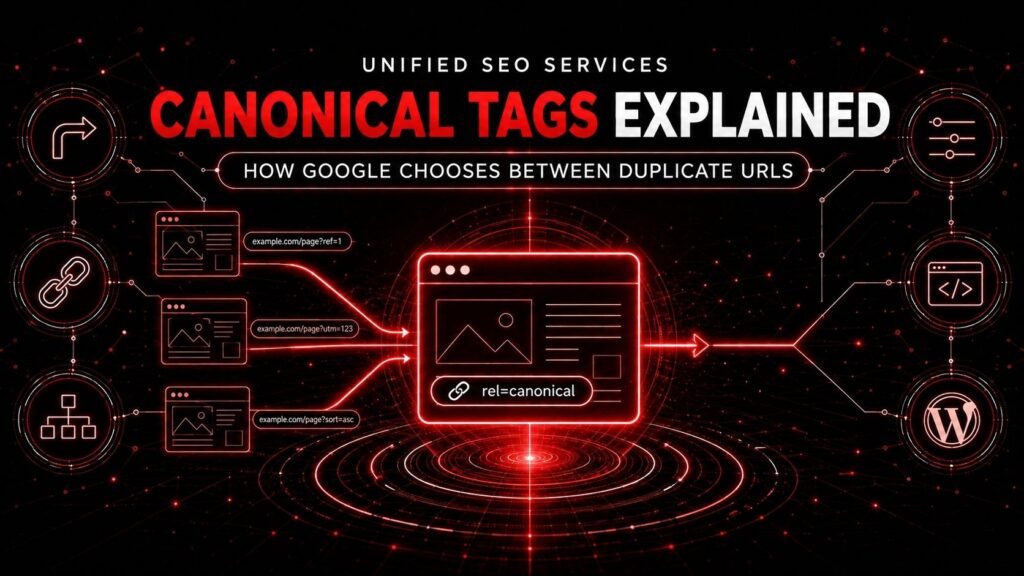
A canonical tag tells Google which URL a site prefers as the representative of duplicate or very similar pages. Google treats that declaration as a strong signal, not an order. Google first decides which URLs contain the same primary content, groups those URLs into a duplicate cluster, and then selects the URL that its systems consider the most complete and useful representative.
The difference between declaration and selection explains why a technically valid canonical tag can fail to produce the expected result. The tag may point to one URL while redirects, internal links, XML sitemaps, protocol settings, rendered HTML, and content differences point elsewhere. Google can also decide that two pages do not belong in the same cluster or that two supposedly distinct pages are not different enough.
Unified SEO Services uses this cluster-first approach when diagnosing canonicalization for business owners, marketing teams, developers, and WordPress publishers. Built on more than eight years of organic-search work, the approach asks four questions: Do these URLs represent the same page? Which URL should represent them? Do the site's signals agree? Does Google agree after processing those signals?
The governing principle: A canonical element declares a preference. Google selects a canonical by evaluating the duplicate cluster and the combined signals surrounding every URL in that cluster.
Canonicalization Separates Duplicate Clustering From Representative Selection
Google canonicalization contains two related decisions that many canonical tag guides collapse into one.
- Google determines cluster membership. Google identifies the primary content on each page and groups pages whose primary content is the same or very similar.
- Google selects a cluster representative. Google evaluates the signals associated with the clustered URLs and chooses the URL that represents the content in search.
The first decision asks, “Are these pages equivalent?” The second decision asks, “Which equivalent URL should Google show?” A canonical tag directly expresses a preference about the second decision, but the tag does not force Google to accept the first premise.
The clustering-and-selection model creates three possible outcomes:
| Site's intention | Google's interpretation | Diagnostic meaning |
|---|---|---|
| The URLs are duplicates, and URL A should represent them | Google clusters the URLs and selects URL A | The canonical system is working as intended |
| The URLs are duplicates, and URL A should represent them | Google clusters the URLs but selects URL B | Canonical preference signals conflict, or URL B appears more suitable |
| The URLs serve different purposes and should both be indexed | Google clusters the URLs and selects only one | The pages need clearer differentiation, not merely different canonical tags |
Google defines canonicalization as selecting a representative URL from a set of duplicate pages. Google's documentation also states that duplicate content is normal and is not automatically a violation of its spam policies. The operational problem is therefore not “duplicate content equals a penalty.” The operational problem is loss of control over URL identity, crawling, measurement, and search presentation.
Canonicalization changes the representative, not the purpose of a page
A canonical tag cannot turn two different search intents into one page. A city service page, a national service page, and a case study may repeat some language while serving different user needs. Canonicalizing all three to the national page would ask Google to ignore meaningful differences.
Before adding a canonical, ask a counterfactual question:
If a user could access only the proposed canonical URL, would the user lose a distinct product selection, location promise, task, answer, or conversion path?
If the answer is yes, the URLs may not be duplicates. Improve each page's primary content, headings, evidence, internal links, and search purpose. If the answer is no, consolidation may be appropriate.
User-Declared Canonicals Express a Preference While Google-Selected Canonicals Record the Outcome
A user-declared canonical is the URL that a site owner identifies through a canonical element or another canonicalization method. A Google-selected canonical is the URL that Google chooses after processing the duplicate cluster and its signals.
Google recommends using Search Console's URL Inspection tool to identify the Google-selected canonical. The comparison between the declared and selected values creates a more useful diagnostic than the presence or absence of a tag.
| Inspection result | What the result establishes | What the result does not establish |
|---|---|---|
| Declared and selected canonicals match | Google currently accepts the preferred representative | Every duplicate is configured correctly |
| Google selects another URL | Google currently prefers another cluster representative | The declared tag is necessarily malformed |
| Google has not selected a canonical yet | Google has not completed or exposed the decision | The page can never be indexed |
| A live test shows a valid canonical element | The fetched page currently returns that element | Google has reprocessed the cluster and changed its selected canonical |
The indexed result in URL Inspection reflects Google's last processed information. A live test checks the current response, but the live test does not prove that Google has adopted a final canonical choice. After a meaningful fix, inspect the processed result again rather than treating a successful live test as the finish line.
When Google chooses a different canonical, start with an honest question: Does Google's choice make more sense for search users? A cleaner URL, stronger page, correct protocol, or more complete version may deserve to win. A diagnostic process should validate the business preference before trying to overpower Google's selection.
Google Combines Canonical Signals Instead of Obeying One Tag
The canonical tag is part of a canonicalization system. How search engines work covers the crawling and indexing stages that precede this signal-combination step. Google ranks the explicit methods by influence: redirects are strong signals, rel="canonical" annotations are strong signals, and sitemap inclusion is a weak signal. Google also considers site-level signals such as HTTPS and participation in hreflang clusters. Consistent internal links reinforce the site's preference.
The signals can stack. A preferred URL has a better chance of being selected when the canonical element, redirect rules, internal links, sitemap entry, protocol, and rendered output all identify the same representative.
| Signal or evidence | What the site communicates | Appropriate use |
|---|---|---|
| Permanent redirect | The old URL has been replaced by the destination | A duplicate or moved URL should no longer remain independently accessible |
HTML rel="canonical" |
Another HTML URL represents this accessible duplicate | Both URLs must remain available to users or systems |
HTTP Link header |
Another URL represents this response | Non-HTML files such as PDFs, or controlled server implementations |
| XML sitemap inclusion | The listed URL is a preferred crawl and index candidate | Scalable reinforcement for canonical URLs |
| Internal links | The site routinely leads users and crawlers to this URL | Navigation, breadcrumbs, related links, and body links |
| HTTPS and host consistency | One protocol and hostname form the public standard | Site-wide URL normalization |
hreflang cluster membership |
Regional or language URLs belong to a localized set | International targeting alongside correct canonicals |
| Primary-content similarity | The URLs belong, or do not belong, in the same cluster | The prerequisite for a defensible canonical relationship |
Conflicting methods reduce clarity. A page should not canonicalize to URL A, redirect to URL B, appear in a sitemap as URL C, and receive most internal links through URL D. No single green check in an SEO plugin resolves that conflict.
URL Equivalence Determines Whether a Canonical Relationship Is Valid
Canonicalization works best when the noncanonical page contains the same or very similar primary content as the canonical page. Shared navigation, boilerplate, or a few repeated paragraphs do not establish equivalence by themselves.
Exact duplicates usually belong in one cluster
Common exact or functional duplicates include:
- HTTP and HTTPS versions that return the same page
wwwand non-wwwhost variants- URLs with tracking parameters that do not change page content
- printer-friendly or alternate-format versions of the same resource
- legacy and current URLs that expose the same page
- session or referral parameters that do not change the user's result
Exact duplicates normally need one public standard. A redirect is usually appropriate when users do not need the alternate. A canonical annotation is useful when the alternate must remain accessible.
Near-duplicates require a content and intent judgment
Product URLs may change only the sort order, currency, color selection, or tracking source. Location pages may share a template but contain different service areas, staff, proof, and contact paths. Articles may share a topic while answering different questions.
The word “similar” does not give permission to collapse every templated page. Evaluate the primary content and the user's job:
- Does the variant provide inventory or information unavailable on the proposed canonical?
- Does the variant satisfy a distinct query or location need?
- Does the variant present unique evidence, pricing, eligibility, or availability?
- Would consolidation hide content that a searcher needs?
- Could one stronger page satisfy the entire intent without loss?
The answers determine whether the site should consolidate, differentiate, redirect, or keep both pages self-canonical.
Redirects Replace Duplicate URLs That Should Disappear
A permanent redirect tells users and Google that one URL has moved to another location. Google treats a permanent redirect as a strong canonical signal. Google's redirect guidance identifies HTTP 301 and 308 responses as permanent methods and recommends server-side redirects when possible.
Use a permanent redirect when:
- a page moved to a new URL;
- HTTP,
www, trailing-slash, or case variants should resolve to one standard; - a discontinued duplicate has a clear replacement;
- a migration changed the domain or folder structure; or
- users should never need the obsolete URL as a separate destination.
Use a temporary redirect only when the source URL is expected to return. Google generally treats the source as the search-result candidate for temporary redirects, while a permanent redirect signals that the destination should become canonical.
A redirect should lead directly to the final, relevant destination. Long redirect chains delay users and crawlers, complicate maintenance, and create more opportunities for conflicting signals. A mass redirect to the home page is not a substitute for one-to-one URL mapping when relevant replacements exist.
A canonical tag does not redirect a user
An HTML canonical element leaves both URLs accessible. A visitor who opens the alternate URL remains on the alternate URL. A redirect transports the visitor and the crawler to the destination.
The difference between preserving and replacing an alternate URL determines the method:
- If the alternate URL has no independent user purpose, redirect it.
- If the alternate URL must remain accessible but should not represent the content in search, use a canonical annotation.
HTML Canonical Elements Preserve Accessible Alternate URLs
An HTML canonical element belongs in the valid <head> of an HTML document:
<link rel="canonical" href="https://www.example.com/preferred-page/">
The element identifies the preferred representative for the page containing the element. A noncanonical page points to the canonical page. The canonical page should normally include a self-referential canonical that points to itself.
A valid HTML canonical follows six implementation rules
- The canonical element appears in the
<head>. Google does not accept an HTML canonical placed in the document body. - The page returns one clear canonical target. Multiple canonical elements that name different URLs can cause Google to ignore the declarations.
- The target uses an absolute URL. Google supports relative paths but recommends absolute URLs because host, protocol, and staging mistakes become less likely.
- The target returns the intended content. A canonical should not point to a
404, soft404, login screen, unrelated page, or accidental redirect. - The target can be indexed. A canonical that points to a
noindexpage sends incompatible instructions. - The relationship reflects genuine equivalence. A tag cannot compensate for pages that serve different purposes.
A site should also avoid canonical chains. If page A points to page B and page B points to page C, update page A to point directly to page C. Direct mappings are easier to validate and less likely to become stale during migrations.
HTTP Link Headers Canonicalize PDFs and Other Non-HTML Files
PDFs, Word documents, and other non-HTML resources do not contain an HTML <head>. A server can declare a canonical through the HTTP response header instead:
HTTP/1.1 200 OK
Content-Type: application/pdf
Link: <https://www.example.com/resources/canonical-report.pdf>; rel="canonical"
The Link header lets a publisher choose a representative among file formats or between a file and another eligible resource. Use a full absolute URL and inspect the actual HTTP response, not only the page source.
Google supports using an HTTP canonical on HTML pages too, but Google recommends choosing either the HTML element or the HTTP header. Running both methods is supported but increases the chance that a plugin, CDN, server rule, or application template will declare a different target.
Internal Links Reinforce the Preferred URL
Internal links define the URL that the site itself treats as authoritative. Google recommends linking internally to the canonical URL instead of linking to duplicates.
Audit every major internal source:
- primary and footer navigation;
- breadcrumbs;
- category and tag listings;
- related-post and related-product modules;
- XML or HTML hub pages;
- image and document links;
- structured-data URL properties;
hreflangannotations; and- editorial links inside page copy.
A canonical element that points to /services/seo/ loses clarity when the navigation, breadcrumbs, and blog links repeatedly point to /services/seo/?source=menu. The parameter may not change content, but the site continues generating and promoting the duplicate.
Fixing internal links also reduces unnecessary redirects. The preferred pattern is a direct internal link to the final canonical URL, not a link to an alternate that relies on a redirect or canonical tag to clean up the route.
XML Sitemaps Provide a Weak but Scalable Canonical Signal
An XML sitemap should normally list canonical, indexable URLs that return successful responses. Google treats sitemap inclusion as a weak canonical signal, not a command. A sitemap does not create a one-to-one mapping between a duplicate and its representative; Google still determines which pages are duplicates based on content similarity.
Use the sitemap as a consistency layer:
- include the preferred protocol and hostname;
- include the final URL rather than a redirecting URL;
- exclude tracking, filtering, session, and print variants;
- exclude URLs that canonicalize elsewhere;
- exclude URLs blocked from indexing; and
- keep
lastmodaccurate when the publishing system can support it.
A sitemap that lists noncanonical URLs reveals a governance problem. The publishing system has one definition of the site inventory while the canonical elements express another. Correct the generator or content model rather than deleting bad entries by hand after every update.
Parameter URLs Require Governance Beyond a Canonical Tag
Query parameters can change measurement, presentation, selection, or the actual primary content. A site should classify parameters before deciding how to handle them.
| Parameter function | Example | Does primary content change? | Typical treatment |
|---|---|---|---|
| Campaign tracking | ?utm_source=newsletter |
No | Preserve analytics as needed, then canonicalize or redirect to the clean URL according to platform behavior |
| Click identifiers | ?gclid=... |
No | Keep measurement functional and point canonical signals to the clean URL |
| Sort order | ?sort=price-asc |
Usually presentation only | Often canonicalize to the base collection and avoid promoting the sort URL internally |
| Filter | ?color=red&size=large |
Sometimes | Index only combinations with independent search value; control or canonicalize the rest deliberately |
| Pagination | ?page=2 |
Yes, because the item set changes | Give each component page a unique URL and usually a self-canonical |
| Session or referral ID | ?session=... |
No | Prevent indexable URL proliferation and point signals to the stable URL |
| Currency, region, or inventory | ?country=ca |
Possibly | Preserve a distinct URL only when the response and user need are meaningfully different |
Faceted navigation creates a crawl-space problem
An ecommerce catalog with ten colors, twelve sizes, six brands, five price bands, and multiple sort orders can generate a large number of combinations. Canonical tags may help Google consolidate equivalent pages, but the crawler may still need to discover and fetch variants before interpreting the canonical.
Google's faceted-navigation guidance says a canonical may reduce crawling of noncanonical facets over time, but canonical and nofollow approaches are generally less effective for long-term crawl control than preventing unnecessary faceted crawling. The right design separates three groups:
- Indexable facets satisfy measurable search demand and contain useful, stable results.
- Accessible but nonindexable facets help users refine a catalog but do not deserve search landing pages.
- Invalid combinations return no results or encode nonsensical states and should return an appropriate
404response.
Do not canonicalize every filtered page to the category root without checking equivalence. A “red running shoes” collection with unique inventory, copy, and search demand may deserve a self-canonical URL. A random five-filter combination may not.
Pagination Requires Self-Canonicals for Distinct Component Pages
Page 2 of a product category does not contain the same item set as page 1. Canonicalizing every component page to page 1 can prevent Google from treating the later pages as distinct crawl and discovery paths.
Google's current pagination guidance recommends giving each component page a unique URL and its own canonical URL. The pages should link sequentially with crawlable <a href> links. Google does not rely on buttons that require a user action to reveal the next URL.
The same principle applies to paginated posts, review pages, comment pages, and archive listings when later pages expose distinct primary content. A true “view all” page may support a different consolidation decision, but the view-all version must actually contain the component content and provide a usable experience.
Hreflang and Canonicals Solve Different International Problems
Canonicalization selects a representative among duplicate or very similar pages. hreflang helps Google serve the right language or regional version to a user. International sites often need both systems.
Use these rules:
- Each distinct translated page should normally be self-canonical.
- Regional pages in the same language may be near-duplicates, so canonical and
hreflangdecisions must be coordinated. - A canonical should point to a page in the same language when one exists.
- Reciprocal
hreflangannotations should identify every valid member of the localized set. - Sitemap, internal-link, and protocol signals should use the same preferred regional URLs.
Canonicalizing every country page to a global English page can erase the regional URL that hreflang is supposed to serve. Conversely, changing only headers, footers, and currency symbols may not make the primary content different enough for Google to treat regional pages as distinct. Localize the substance when each page should stand independently.
JavaScript Rendering Can Rewrite Canonical Intent
A canonical audit must compare the raw HTML response with the rendered document. A server may return one canonical in the source while JavaScript removes it, replaces it, or injects another target after rendering.
Google recommends putting the canonical in the source HTML and preventing JavaScript from changing it. If the application cannot set a correct canonical in the source, Google recommends omitting the source canonical and injecting one unambiguous element with JavaScript.
Test three delivery layers:
- HTTP response: status code, redirects, and
Linkheaders. - Raw source: the original
<head>and canonical element. - Rendered document: the post-JavaScript
<head>that a renderer produces.
A crawl that parses only raw HTML can miss a client-side conflict. A browser inspection that checks only the rendered DOM can miss the incorrect tag initially served to crawlers. Both views matter.
WordPress Automates Canonicals but Cannot Resolve Every URL Decision
WordPress core and SEO plugins generate canonical output for common page types. WordPress's wp_get_canonical_url() function returns the canonical URL for a published post and handles content or comment pagination when the current request requires it. WordPress also contains canonical redirect behavior for many malformed or alternate requests.
Automation reduces manual work, but WordPress cannot infer every business rule. Themes, plugins, custom post types, ecommerce filters, multilingual systems, page builders, caching layers, and migrations can each change URL behavior.
A WordPress canonical audit should therefore inspect representative templates, not only one standard post:
- home page;
- standard post and page;
- category and tag archive;
- author and date archive;
- custom post type and taxonomy;
- product and product category;
- paginated archive;
- paginated post or comments;
- filtered or sorted collection;
- attachment or media URL;
- search result and
404page; - staging and production hostname; and
- logged-out and cacheable versions.
Common WordPress Mistakes Create Conflicting Canonical Signals
WordPress errors often originate in templates and configuration rather than in one editor field. Diagnose the pattern across a URL cohort.
A theme and an SEO plugin output different canonical elements
An older theme may hard-code a canonical while Yoast SEO, another SEO plugin, or custom code produces a second element. If the targets differ, Google may ignore the declarations. Inspect the entire raw and rendered <head>, then designate one system as the canonical owner.
A copied Yoast override points many pages to one URL
A manual canonical value can survive page duplication, imports, or template cloning. The copied pages then declare the source page, a staging URL, or an unrelated article as canonical. Search the database or crawl the canonical targets by template to find repeated overrides.
WordPress Address and Site Address use the wrong host or protocol
Inconsistent http and https, www and non-www, or production and staging settings can propagate into canonicals, internal links, Open Graph fields, and sitemaps. Select one public origin, redirect every alternate origin, and verify that WordPress, the web server, CDN, and plugin agree.
Trailing-slash rules conflict across application layers
WordPress normally follows the site's permalink structure, but web-server rules or headless front ends may enforce another pattern. A request can then redirect to a slash version while the canonical points to the non-slash version. Normalize generation, linking, redirection, and canonical output to one rule.
Archives compete with posts or service pages
Category, tag, author, and date archives can repeat excerpts or templated copy without offering a useful browsing experience. Do not automatically canonicalize every archive to a featured post. Decide whether the archive is a valuable hub. A useful hub should contain unique purpose and self-canonicalize; an unnecessary archive may be removed from indexing under a deliberate site policy.
Paginated archives point to page 1
Plugins or custom filters sometimes force page 2 and later to canonicalize to page 1. Each component exposes different items, so each page normally needs a self-canonical URL and crawlable sequence links.
Product filters generate uncontrolled URL populations
WooCommerce extensions can add parameters for variations, filters, currency, sorting, and tracking. Some parameters create true duplicates; others produce distinct inventory. Classify each parameter before configuring a canonical or crawl rule.
A cleanup setting strips functional parameters
URL cleanup features can redirect unknown query parameters to the clean URL. Redirecting unknown parameters can help with meaningless variants, but an aggressive rule can break filters, calendars, internal search, affiliate attribution, or application state. Inventory functional parameters and test conversions before enabling site-wide cleanup.
A noindex setting removes Yoast's canonical output
Yoast states that it does not output a canonical tag on a page marked noindex. An absent tag may therefore reflect the indexation setting rather than a rendering failure. Decide whether the page should be indexed before trying to restore the canonical.
A cache or CDN serves stale canonical output
Changing a WordPress setting does not guarantee that every edge cache, page cache, or rendered fragment changes immediately. Purge the relevant caches and retest multiple URL variants while logged out. Inspect response headers as well as HTML when a CDN can add or rewrite Link headers.
Yoast Canonical Settings Should Override Defaults Only Deliberately
Yoast SEO generates canonical URLs automatically for standard WordPress content. Most unique pages should use the generated self-canonical rather than a manual override.
Use the manual field only when a specific accessible page should declare another URL as its representative:
- Open the relevant Post, Page, Category, or Tag in WordPress.
- Open Yoast SEO and select Advanced.
- Enter the full canonical URL, including
https://and the preferred hostname, in the Canonical URL field. - Save or republish the item.
- Purge caches if the site uses page, object, or CDN caching.
- View the raw source and confirm that one canonical element names the expected URL.
- Confirm that the target returns
200, is indexable, is not an unrelated page, and declares the intended self-canonical.
Yoast also provides the wpseo_canonical filter for programmatic control. Use programmatic filters when a stable content rule can generate correct mappings at scale. Test the filter on every affected template and parameter state. A rule that works for posts can fail on taxonomies, pagination, multilingual pages, or custom post types.
Do not populate the manual field merely to repeat the URL that Yoast already generates. Unnecessary overrides create stale configuration during migrations and page duplication.
Noindex, Robots.txt, and Canonicals Perform Different Jobs
These controls are not interchangeable. The Unified SEO Services website-visibility guide walks through the full discovery-to-authority sequence these controls sit inside, and the Robots.txt vs. Noindex vs. Canonical Tags guide compares all three controls directly:
| Control | Primary job | Key limitation |
|---|---|---|
rel="canonical" |
Suggest one representative among duplicate or very similar URLs | Google can choose another URL |
noindex |
Tell a crawler not to include a page in search results after the crawler sees the directive | It removes the page rather than selecting a substitute |
robots.txt disallow |
Restrict crawling of a URL pattern | Google cannot see page-level canonical or noindex directives when it cannot crawl the page |
| URL removal request | Temporarily hide a URL from Google Search | It does not establish a canonical relationship |
Google specifically advises against using noindex to select a canonical page within one site. Google also advises against using robots.txt or the removal tool for canonicalization.
A crawl-control strategy can still use robots rules for large, unnecessary faceted spaces. The robots.txt decision addresses crawler access, not canonical preference. Model the job first, then select the control.
A Canonical Consensus Audit Diagnoses the Entire URL Family
A useful audit does not begin and end with “canonical tag present.” The audit defines an expected URL family and checks whether every layer supports the same outcome.
Step 1: Define the duplicate cohort
Group URLs by the rule that creates them:
- protocol or hostname variants;
- tracking parameters;
- sorting and filtering;
- pagination;
- print or file formats;
- WordPress archives;
- product paths and variations;
- multilingual or regional versions;
- legacy migration paths; or
- staging and production copies.
Do not mix unrelated patterns in one diagnosis. A tracking parameter and a localized product page may need different treatments even when both appear in a duplicate report.
Step 2: State the desired cluster and representative
For each cohort, document:
- which URLs contain equivalent primary content;
- which URL should represent the cluster;
- why that URL serves users and measurement best;
- whether alternate URLs must remain accessible; and
- whether any page should instead remain distinct.
The documented URL-family policy turns implementation into a testable rule.
Step 3: Inspect every signal layer
| Evidence layer | Questions to answer |
|---|---|
| Response | What status code returns? Does a redirect reach the final URL directly? Is an HTTP canonical present? |
| Raw HTML | Is one canonical element present in the valid <head>? Which absolute URL does it name? |
| Rendered HTML | Does JavaScript preserve, remove, or replace the canonical? |
| Target health | Does the target return 200, remain indexable, and contain equivalent primary content? |
| Internal links | Which variant receives navigation, breadcrumb, module, and editorial links? |
| Sitemap | Which variant appears in XML sitemaps? |
| Localization | Do canonical and reciprocal hreflang relationships agree? |
| Search Console | What are the user-declared and Google-selected canonicals? When was the page last processed? |
| Analytics and logs | Which variants receive users, links, Googlebot requests, and conversions? |
Step 4: Classify the mismatch before choosing a fix
A canonical mismatch normally belongs to one of four classes:
- Cluster error: Google groups pages that the business intends to keep distinct. Differentiate primary content and purpose.
- Selection error: The pages belong together, but signals favor the wrong representative. Align redirects, canonicals, links, sitemaps, protocol, and target quality.
- Delivery error: Source HTML, rendered HTML, HTTP headers, caches, or plugins emit inconsistent instructions. Fix the generating layer.
- Processing delay: The implementation is correct, but Google has not reprocessed the cluster. Monitor the last crawl and request indexing for the most important fixed URLs. A page stuck in this state for an extended period is also worth checking against the Crawled, Currently Not Indexed guide, since the two symptoms often overlap.
Google's troubleshooting documentation says pages can remain in a duplicate cluster for up to two weeks after content issues are fixed. Clear and significant content differences can cause pages to split out faster. The time condition matters: a same-day mismatch does not prove that a validated fix failed.
Step 5: Fix the generator, not each symptom
If 8,000 filtered URLs carry the wrong canonical, editing eight examples is not a fix. Change the routing, template, plugin filter, sitemap generator, or internal-link rule that produces the cohort. Then recrawl a representative sample, including edge cases.
A Canonical Decision Matrix Connects URL Types to Treatments
| URL situation | Preferred treatment | Why |
|---|---|---|
| Old URL has a permanent one-to-one replacement | 301 or 308 redirect |
Users and crawlers no longer need the old route |
| Tracking parameter returns identical content | Clean canonical plus clean internal links; redirect only if measurement remains intact | The parameter should not become the public representative |
| Printable HTML must remain accessible | Canonical annotation to the standard page | The alternate serves a user function but duplicates the content |
| PDF duplicates an HTML guide | Choose the desired format and declare the relationship through an HTTP Link header where needed |
Non-HTML files cannot contain an HTML canonical element |
| Sort order changes only presentation | Often canonicalize to the base collection and limit internal promotion | The same inventory has no new search purpose |
| Filter creates a useful, stable landing page | Create a crawlable URL with distinct content and a self-canonical | The page serves an independent query |
| Filter creates arbitrary or empty combinations | Control crawling or return 404 for invalid states |
Canonical tags alone do not govern an infinite crawl space |
| Pagination exposes different items | Unique URL and self-canonical for each component | Later components are not duplicates of page 1 |
| Regional page serves distinct localized content | Self-canonical plus reciprocal hreflang |
Canonical and localization systems preserve the regional result |
| Two pages target the same intent with weak differences | Merge and redirect, or materially differentiate | A tag cannot rescue an unclear content strategy |
| Page should never appear in search | noindex when Google can crawl the directive |
Exclusion is different from choosing a duplicate representative |
A Composite WordPress Example Shows Why Signal Consensus Matters
The following scenario is a composite diagnostic example, not a claim about one client or a promised result.
A WordPress company site moves from staging.example.com to www.example.com. The production page at /seo-audit/ contains a Yoast-generated self-canonical. A custom theme also outputs the staging URL as a second canonical. The XML sitemap lists the production URL, while several imported blog posts link to an old non-www URL that redirects through HTTP. Campaign URLs add utm parameters, and a cache continues serving the old theme head to some visitors.
The page-level question, “Does Yoast contain the right URL?” produces a misleading yes. The URL-family audit produces a different diagnosis:
- duplicate clustering is reasonable because the hosts return the same primary content;
- representative selection is unstable because the site declares multiple targets;
- delivery differs by cache state;
- internal links reinforce an obsolete host; and
- redirect chains introduce another route.
The corrective sequence is structural:
- Remove the theme's duplicate canonical output and assign canonical ownership to one system.
- Redirect staging, HTTP, and nonpreferred host variants directly to the production URL where public access is not required.
- update internal links to the final production URL;
- list only final, canonical URLs in the sitemap;
- preserve campaign measurement while preventing parameter variants from becoming public representatives;
- purge caches and compare raw, rendered, and header output; and
- inspect the processed Google-selected canonical after Google recrawls the cohort.
The example illustrates the central lesson: a correct tag can coexist with a broken canonicalization system.
Canonical Monitoring Should Track Cohorts and Outcomes
Canonicalization can drift when a plugin updates, a migration changes hosts, a product system adds parameters, or a JavaScript release changes the document head. Monitoring should therefore measure patterns over time.
Track at least these cohorts:
- declared canonical differs from crawled URL;
- multiple or missing canonical elements;
- canonical target redirects or returns a non-
200status; - canonical target is blocked or marked
noindex; - sitemap URL canonicalizes elsewhere;
- internal links point to noncanonical URLs;
- Google-selected canonical differs from the declared canonical;
- parameter populations grow unexpectedly; and
- staging or alternate hostnames become crawlable.
Pair technical counts with business consequences. A mismatch affecting one obsolete test URL is not equivalent to a mismatch affecting every revenue page. Prioritize by:
- search and conversion value;
- number of affected URLs;
- crawl and indexation impact;
- severity of the signal conflict;
- ease and reversibility of the fix; and
- likelihood that the generating rule will create more duplicates.
Outcome-based prioritization keeps canonical work connected to business consequences rather than tool-export volume.
Frequently Asked Questions About Canonical Tags
What is a canonical tag in SEO?
A canonical tag is an HTML link element that names the preferred representative of a duplicate or very similar HTML page. The element uses rel="canonical" and belongs in the page's valid <head>. Google treats the declaration as a strong signal but can select another canonical.
What is the difference between a canonical URL and a canonical tag?
A canonical URL is the representative URL that Google selects for a duplicate cluster. A canonical tag is one method a site uses to suggest that representative. Redirects, HTTP Link headers, sitemaps, and other site signals also influence canonicalization.
Why did Google choose a different canonical than the user?
Google may choose a different canonical because redirects, internal links, sitemaps, protocol, content quality, rendered output, or other technical signals favor another URL. Google may also believe that the pages belong in a different duplicate cluster than the site owner intended. Compare the complete URL cohort before changing the tag.
Does duplicate content cause a Google penalty?
Duplicate content is common and is not automatically a spam-policy violation. Google normally clusters duplicates and selects a representative. Duplicate URL populations can still waste crawling, fragment reporting, obscure the preferred search URL, and expose weak site governance.
Should every indexable page have a self-referencing canonical?
Google recommends a self-referential canonical on the canonical page. A self-canonical protects the preferred URL from accidental variants and states the page's own identity. The self-canonical must still agree with redirects, internal links, sitemaps, and the page's indexability.
Can a canonical tag point to another domain?
Google can process cross-domain canonical annotations when pages are duplicate or very similar. A publisher should use cross-domain canonicals only when the external URL is genuinely intended to represent the content. For syndicated content, Google's current troubleshooting guidance notes that partners blocking indexing is more effective than relying on cross-domain canonicals because syndicated pages often differ.
Should a canonical point to a noindex page?
No. A canonical asks Google to select a representative, while noindex asks Google to exclude a page. A canonical target should normally be indexable, return a successful response, and contain the representative content.
Can robots.txt fix duplicate URLs?
Robots.txt can restrict crawling of selected URL patterns, but it is not a canonicalization method. If Google cannot crawl a page, Google cannot see the page's canonical or noindex directive. Use robots controls for a deliberate crawl-management goal, such as unnecessary faceted spaces, not to declare a representative.
Should parameter URLs always canonicalize to the clean URL?
No. A parameter that changes only tracking or sort order may support a clean canonical. A parameter that produces a stable, valuable selection may deserve an indexable self-canonical URL. Pagination also changes the content set and normally requires a unique self-canonical. Classify the parameter's function before applying a rule.
How do I set a canonical URL in Yoast SEO?
Open the Post, Page, Category, or Tag, open Yoast SEO, select Advanced, and enter the full absolute URL in the Canonical URL field. Save the content, clear relevant caches, and verify the source. Leave the manual field alone when Yoast's generated self-canonical already reflects the correct URL.
How long does Google take to recognize a canonical change?
Google must recrawl and reprocess the affected URLs. Timing varies by site and URL importance. Google's current troubleshooting documentation says pages can remain in a duplicate cluster for up to two weeks after content issues are fixed. Request indexing only for the most important corrected URLs because the feature has quotas.
Canonical Tags Work When the Entire Site Agrees
A canonical tag does not independently control the search result. Google determines which pages share the same primary content, clusters those pages, and selects a representative from the combined evidence.
The most reliable canonical system therefore follows a sequence:
- define which URLs are genuinely equivalent;
- choose the representative that best serves users and measurement;
- select the method that matches user behavior;
- align redirects, canonical annotations, links, sitemaps, protocol, rendering, and localization;
- verify declared and Google-selected canonicals by URL cohort; and
- fix the rule that generates the conflict.
If Search Console reports unexpected canonicals, a complete SEO audit should connect the duplicate pattern to crawling, indexation, internal linking, page purpose, and business impact. Unified SEO Services focuses on diagnosing the system behind the symptom. Contact Unified SEO Services to discuss a canonicalization or technical SEO audit.
Sources and Further Reading
The article uses current primary documentation for technical claims and competitor guides only to identify common coverage patterns.
- Google Search Central: What Is Canonicalization?
- Google Search Central: Specify a Canonical URL With rel=canonical and Other Methods
- Google Search Central: Fix Canonicalization Issues
- Google Search Central: Redirects and Google Search
- Google Crawling Infrastructure: Managing Faceted Navigation URLs
- Google Search Central: Pagination and Incremental Page Loading
- Google Search Central: JavaScript SEO Basics
- Google Search Central: Localized Versions and hreflang
- WordPress Developer Resources: wp_get_canonical_url()
- WordPress Developer Resources: redirect_canonical()
- Yoast: Change the Canonical URL in Yoast SEO for WordPress
- Yoast: Advanced Crawl Settings and Permalink Cleanup
- Ahrefs: Canonical Tags Explained
- Semrush: Canonical URLs Guide